Released
OSViewer
Your NAS on the TV, with nothing but the remote.
A media viewer for Android TV that plays the videos, music, photos and documents on your NAS, PC or server — browsed and opened with nothing but the remote. It works the same way on phones and tablets. Free, with no ads and no account.
There is a Windows version too, with the same features. On a PC it can open video files straight from Explorer, play in a small always-on-top window while you work, and be driven entirely from the keyboard.
A foreign-language video with no subtitles is no longer a dead end. Turn on AI translated subtitles and the app listens to the audio and puts up subtitles in the language you pick. It works a little ahead of playback, so the lines are usually ready before they are spoken. Use an AI server you run yourself, or Gemini, OpenAI, Claude or Grok with your own API key — on a TV you scan a QR code and paste the key on your phone. If the video already has a subtitle file, that can come first, with AI stepping in only when there is none.
It is built for the cheap TV boxes most homes actually have. There is no heavy UI framework underneath, the download is around 7 MB, and video goes straight to the device's hardware decoder. DTS, TrueHD and AC-3 audio that many TVs refuse is decoded by the app itself.
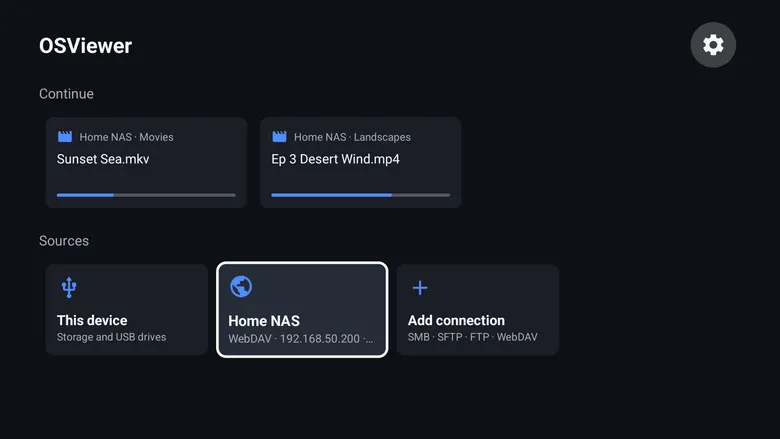
Connect over SMB, SFTP, FTP or WebDAV, or open device storage and USB drives directly. DLNA servers on your network show up without any setup, and the folders you visit most can be pinned to the home screen under your own names.
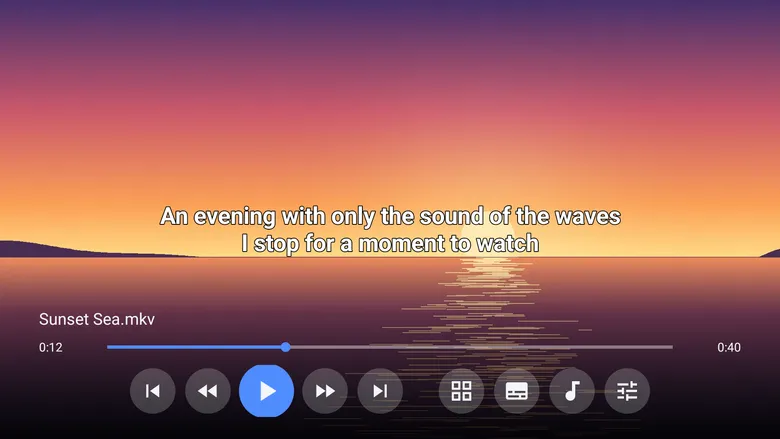
External SRT, VTT, SMI and ASS subtitles are matched to the video by file name, and their encoding is detected for you. Sync, size and colour are adjusted from the remote.
The file list keeps out of the way — subtitles, tiny files, NAS housekeeping folders and anything the app cannot open are hidden until you ask to see everything.
Connections and playback history stay on the device, and passwords and API keys are stored encrypted. There is no developer server — when AI subtitles are on, the audio goes straight to the AI service you chose and nowhere else.
- AI translated subtitles for videos that have none
- SMB, SFTP, FTP, WebDAV, DLNA, USB
- Hardware decoding; DTS, TrueHD and AC-3 audio decoded in-app
- Subtitles with automatic encoding detection
- Resume, next-episode autoplay, refresh-rate matching
- Photos, PDF and text files too
- No ads, no account, no analytics
Screenshots